

Call of Duty Mobile PC Download & Play Season 8 On Windows
Since its launch in 2019 by Activision and TiMi Studio Group, Call of Duty Mobile PC has become one of the most played mobile FPS titles in the world. With over 650 million downloads globally, the game brought the legendary Call of Duty franchise into the hands of smartphone users. It combines iconic maps like Nuketown and Crash with fast-paced modes such as Team Deathmatch, Domination, and the ever-popular Battle Royale.
But here’s the catch: many gamers prefer playing Call of Duty Mobile on PC for a superior experience. On a computer, players enjoy bigger screens, smoother frame rates, and precise aiming with a keyboard and mouse. No more battery drain or overheating just pure action and uninterrupted gameplay.
If you’re looking for the safest way to download Call of Duty Mobile for PC and unlock the game’s full potential, you’re in the right place. This guide covers everything from features and system requirements to alternatives so you can start dominating lobbies on your computer today.
Gameplay
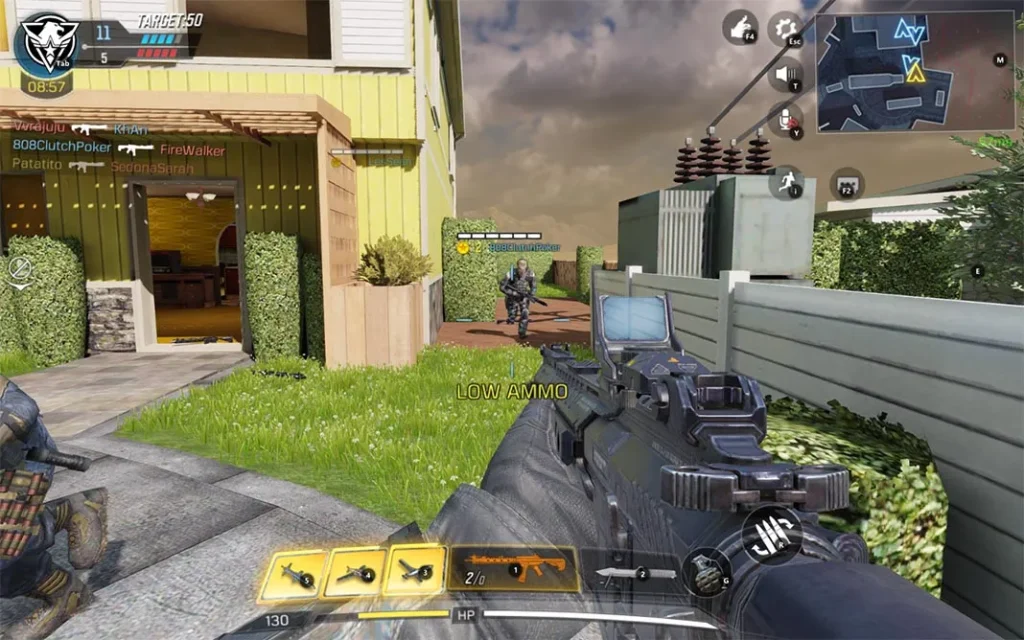
Call of Duty Mobile PC delivers a fast-paced, action-packed experience that combines the best elements of the Call of Duty franchise into one free-to-play title. Players can jump into a wide range of multiplayer modes such as Team Deathmatch, Domination, Hardpoint, and Search & Destroy, each designed to test skill and strategy in different ways. For those who prefer large-scale battles, the Battle Royale mode offers 100-player survival matches with vehicles, loot, and diverse terrains, keeping every game unpredictable and exciting.
The game also emphasizes progression and customization. Through the Gunsmith system, players can tailor their weapons with attachments, perks, and skins to match their personal playstyle. Regular seasonal updates add fresh content, including maps, characters, and limited-time events, ensuring the gameplay never gets stale. On PC, the experience feels even more immersive thanks to enhanced graphics, smoother performance, and keyboard-mouse precision, giving players a competitive edge while enjoying Call of Duty’s signature adrenaline-filled combat.
Key Features
1. Classic Maps from the Call of Duty Franchise
One of the biggest attractions of COD Mobile is its legendary maps. Iconic battlegrounds like Nuketown, Hijacked, Crash, and Firing Range are recreated with stunning detail. Playing these fan-favorite maps on PC enhances the experience, letting players explore every corner with high-resolution graphics.
2. Variety of Game Modes
The game isn’t limited to just one style of play. Players can enjoy 5v5 multiplayer modes like Team Deathmatch and Domination, dive into the 100-player Battle Royale, or challenge themselves in unique limited-time events. This variety keeps the gameplay fresh and exciting for both casual and competitive players.
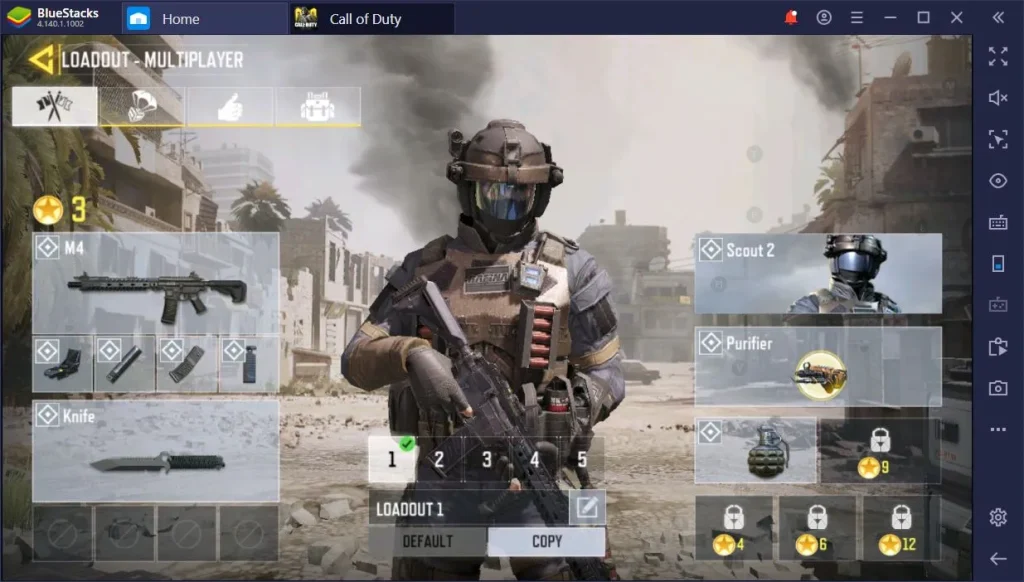
3. Customizable Loadouts and Gunsmith System
COD Mobile offers a detailed Gunsmith system, where players can modify weapons with attachments, optics, grips, and skins. On PC, customizing loadouts becomes even easier thanks to the intuitive controls, giving you more precision when fine-tuning your arsenal for any situation.
4. Competitive Ranked Matches
For players who love challenges, COD Mobile PC includes a ranked mode. By climbing the ranks, you face stronger opponents and earn exclusive rewards like weapon blueprints, character skins, and calling cards. Playing on PC provides smoother performance, giving you an edge in intense ranked battles.
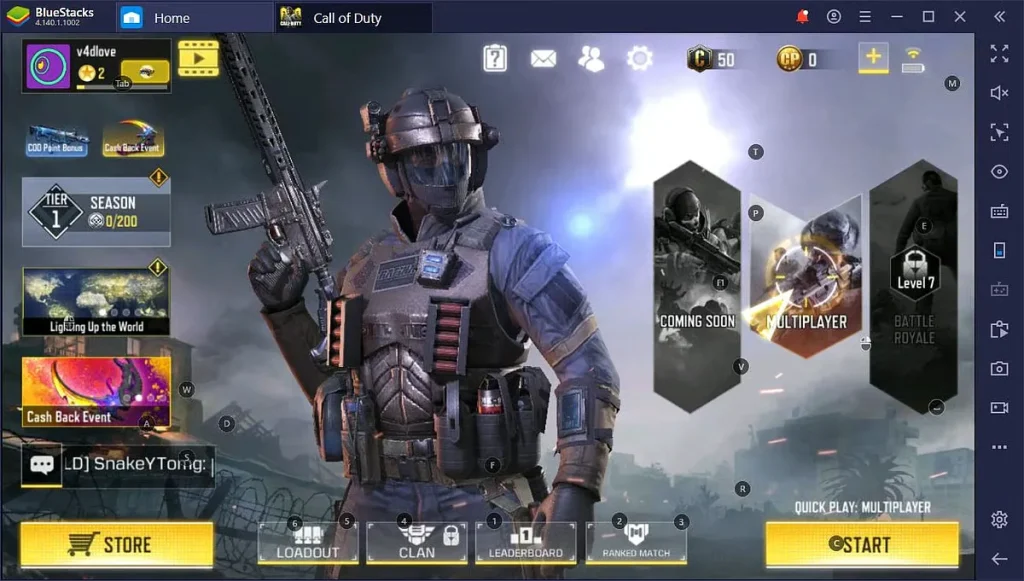
5. Seasonal Events and Battle Pass Rewards
Every season introduces fresh content, including new operators, weapons, maps, and challenges. The Battle Pass offers premium rewards for dedicated players, ensuring there’s always something to grind for. With regular updates, the game never feels repetitive.
6. Cross-Platform Progression
Worried about losing your progress? With Activision account syncing, you can switch between mobile and PC anytime without losing data. This cross-platform support ensures that your achievements, ranks, and unlocked items remain intact, no matter where you play.
7. Enhanced PC Gameplay Experience
The biggest reason to play COD Mobile on PC is the optimized gameplay. You’ll enjoy higher frame rates, smoother performance, and better aiming precision with a mouse and keyboard setup. Plus, there’s no worry about battery life, overheating, or storage space—just hours of uninterrupted action.
Why Play Call of Duty Mobile on PC?
While Call of Duty Mobile is designed for smartphones, playing it on PC unlocks a whole new level of performance and immersion. On a computer, you can enjoy enhanced graphics, higher frame rates, and smoother controls, making every gunfight more precise and intense. The keyboard and mouse setup provides unmatched accuracy compared to touch controls, giving players a clear competitive advantage in both casual and ranked matches.
Beyond performance, playing on PC eliminates common mobile limitations like battery drain, overheating, and storage restrictions. You can also enjoy longer, uninterrupted gaming sessions without worrying about your device running out of power. With cross-platform syncing through an Activision account, you can seamlessly switch between PC and mobile without losing progress. For gamers who want the best COD Mobile experience, the PC version is the ultimate way to play.
How to Download Call of Duty Mobile on PC
Here is detailed step by step guide to download Call of Duty Mobile PC;
- Click the Download button on this page to start your Call of Duty Mobile PC download.
- Choose your platform build: Windows x64, macOS (Universal), or Linux x64.
- Save the ZIP/executable to your PC and wait for the download to finish.
- On Windows, right-click the ZIP and Extract All… to a folder.
- Double-click the game executable to launch.
- Optional: On first run, open Options/Settings to adjust volume, keybinds, and graphics.
- Keep your folder tidy: create a
Modssubfolder for custom content you add later.
How to Play Call of Duty Mobile on PC
Once you’ve installed Call of Duty Mobile through a trusted emulator like GameLoop, Bluestacks, or LDPlayer, playing the game is simple. Launch the emulator, open the game, and log in using your Activision, Facebook, or Google account to sync your progress. The emulator automatically maps the controls to your keyboard and mouse, so you can start playing right away. Common keys include WASD for movement, spacebar for jumping, and mouse for aiming and shooting, making gameplay feel natural and precise.
You can also customize the controls to match your preferences. For example, you can assign specific keys for grenades, scorestreaks, or crouching. To enhance the experience, adjust the graphics and performance settings in both the emulator and the game for smoother frame rates. Pairing a gaming headset or speakers adds immersive sound, making every gunshot and explosion more intense. With these simple steps, you’ll be ready to dominate matches and fully enjoy the Call of Duty Mobile PC version.
System Requirements
Minimum Requirements:
- OS: Windows 7/8/10 (64-bit)
- Processor: Intel Core i3 or equivalent
- RAM: 4 GB
- Graphics: Intel HD Graphics 4000 or better
- Storage: 5 GB free space
Recommended Requirements:
- OS: Windows 10/11 (64-bit)
- Processor: Intel Core i5/i7 or AMD equivalent
- RAM: 8 GB
- Graphics: NVIDIA GeForce GTX 660 / AMD Radeon HD 7850 or better
- Storage: 10 GB free space
FAQs
Alternatives to Call of Duty Mobile on PC
- PUBG Mobile (PC version via emulator) – Intense Battle Royale experience with realistic gunplay.
- Free Fire – A fast-paced survival shooter optimized for low-spec systems.
- Modern Combat 5 – Another FPS with immersive story-driven campaigns and multiplayer battles.
- Critical Ops – Tactical first-person shooter focused on competitive 5v5 combat.
- Crossfire – Classic online shooter featuring team-based modes and massive maps.
Conclusion
Call of Duty Mobile PC brings the best of mobile shooting action to a bigger screen with smoother performance, precise keyboard and mouse controls, and no battery limitations. You can enjoy iconic maps, thrilling modes like Battle Royale, and fully customizable loadouts with seamless cross-platform progression. Playing on PC not only enhances the graphics but also provides a more competitive edge against opponents. Don’t miss out on the ultimate way to experience COD Mobile click the Download button on this page now and start dominating the battlefield with the official Call of Duty Mobile PC version today!


