Download Stumble Guys PC Game Free on Windows
If you love chaos, laughter, and intense obstacle racing, Stumble Guys PC is the perfect game for you. Developed by Kitka Games and later acquired by Scopely, this colorful multiplayer battle royale has taken the world by storm since its release. With over 500 million downloads on mobile platforms and millions of daily active players, it’s one of the most popular online party games today.
The game’s wacky physics, unpredictable obstacles, and cartoonish characters make every match a hilarious adventure. Players race against 32 competitors, stumbling and tumbling their way to victory through a series of wild challenges. But while it’s primarily a mobile game, many players prefer to play Stumble Guys on PC for smoother gameplay and enhanced control precision.
Playing Stumble Guys on your computer allows you to enjoy the action on a larger screen, experience better graphics, and control your character with a keyboard and mouse—making it easier to outmaneuver your opponents. If you’re ready to elevate your gameplay, download Stumble Guys PC using the link provided in this article and join the fun!
Gameplay
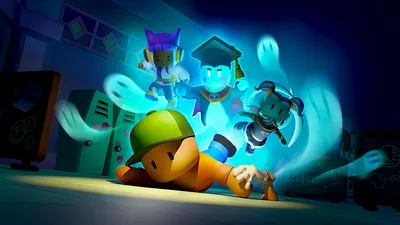
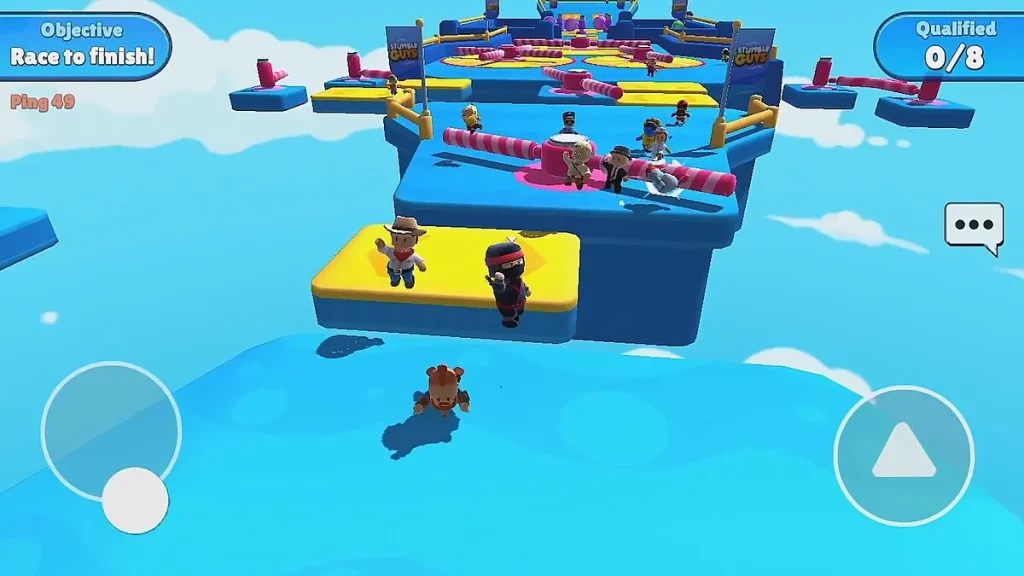
Stumble Guys PC combines the thrill of a battle royale with the fun of obstacle course chaos. Players compete in multiple knockout rounds, where each level eliminates a portion of the contestants until one ultimate winner remains. The stages are packed with spinning hammers, slippery floors, and bouncing platforms designed to send you flying.
Unlike traditional competitive games, Stumble Guys is all about laughter and lighthearted fun. The simple controls make it accessible for all ages, while the random physics ensure no two games ever feel the same. Whether you’re playing solo or teaming up with friends, every round delivers unpredictable excitement and plenty of “oops” moments.
Key Features
1. Multiplayer Madness
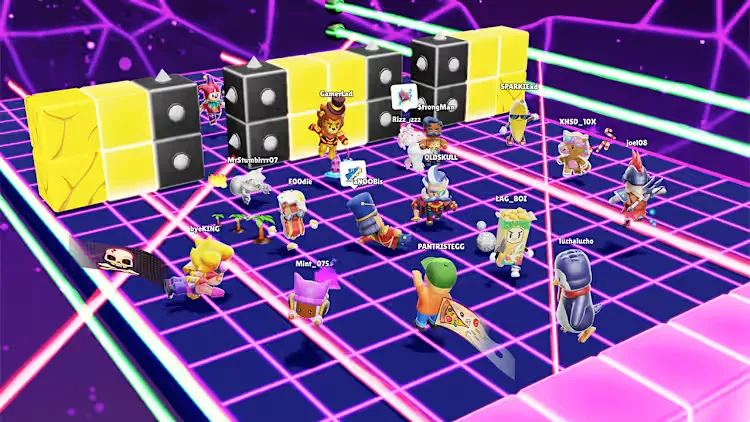
Join up to 32 players in real-time knockout battles. Each round intensifies as players are eliminated, creating non-stop excitement and competition until one stands victorious.
2. Whimsical Arenas
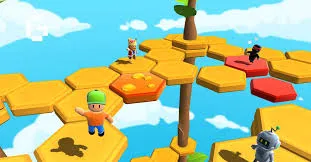
Navigate through dozens of imaginative arenas filled with spinning obstacles, collapsing floors, and bouncy traps. Each map brings its own challenges, ensuring endless replayability.
3. Customizable Characters
Express yourself with colorful skins, emotes, and animations. Unlock exclusive cosmetics to make your character stand out in the crowd.
4. Simple Yet Addictive Gameplay
The controls are intuitive—run, jump, and dive to survive. The simplicity makes it easy for beginners, but the timing and precision required to win make it challenging for veterans.
5. Cross-Platform Play
Play with friends on mobile or PC seamlessly. Stumble Guys supports cross-platform matchmaking, letting you compete no matter what device you use.
6. Regular Updates and Events
The developers consistently add new maps, modes, and seasonal events. Expect themed challenges, limited-time outfits, and community-driven content that keep the game fresh.
7. Party Mode and Team Play
Invite friends into private rooms and create custom lobbies for team play. It’s perfect for streamers, content creators, and friendly gaming sessions.
Why Play Stumble Guys on PC?
While Stumble Guys was originally created as a mobile game, playing the Stumble Guys PC version takes the fun to an entirely new level. On a larger screen, every jump, fall, and victory feels more immersive. The vibrant graphics and colorful obstacle courses come to life in high resolution, making the chaos even more entertaining.
Another major advantage of playing Stumble Guys on PC is the improved control system. Using a keyboard and mouse gives you greater precision over your movements, helping you dodge obstacles and time your jumps more effectively. There’s no need to worry about touch lag or screen clutter—just smooth, seamless gameplay. Plus, playing on PC eliminates common mobile issues like battery drain, overheating, or limited performance.
Whether you’re streaming your matches, competing with friends, or climbing the leaderboards, Stumble Guys on your computer ensures a lag-free experience with crisp visuals and fast response times. It’s the perfect setup for gamers who want the best mix of fun, performance, and competitive play.
How to Download Stumble Guys on PC
Here is detailed step by step guide to download Stumble Guys PC;
- Click the Download button on this page to start your Stumble Guys PC download.
- Choose your platform build: Windows x64, macOS (Universal), or Linux x64.
- Save the ZIP/executable to your PC and wait for the download to finish.
- On Windows, right-click the ZIP and Extract All… to a folder.
- Double-click the game executable to launch.
- Optional: On first run, open Options/Settings to adjust volume, keybinds, and graphics.
- Keep your folder tidy: create a
Modssubfolder for custom content you add later.
How to Play Stumble Guys on PC
Once you’ve successfully downloaded Stumble Guys for PC, jumping into the action is easy and incredibly fun. Whether you’re playing the Stumble Guys PC version via Steam or through an emulator, the setup process is quick, and the controls are highly intuitive.
If you’re using Steam, simply launch the game from your library, and you’ll be taken straight to the main lobby. From there, you can customize your character, join solo matches, or invite your friends to private party rooms. The game supports keyboard and mouse controls, giving you smoother handling and faster reaction time than on a touchscreen. Use the W, A, S, D keys to move, spacebar to jump, and shift or right-click to dive. These precise movements give you a clear advantage during obstacle-heavy rounds.
For emulator players (like BlueStacks, LDPlayer, or NoxPlayer), you can customize the control mapping to fit your preferences. You can also adjust settings like resolution, frame rate, and key sensitivity for optimal gameplay. The best part? You can easily connect your controller or play using your keyboard to enjoy a console-like experience.
Once you get the hang of it, you’ll quickly find yourself mastering the wobbly physics, dodging obstacles, and laughing your way through victory. Playing Stumble Guys on computer offers not just better performance but also endless fun—perfect for solo sessions or friendly multiplayer chaos.
System Requirements
Minimum Requirements
- OS: Windows 7/8/10 (64-bit)
- Processor: Intel Core i3 or AMD equivalent
- Memory: 4 GB RAM
- Graphics: Intel HD Graphics 4000
- Storage: 512 MB available space
Recommended Requirements
- OS: Windows 10/11
- Processor: Intel Core i5 or higher
- Memory: 8 GB RAM
- Graphics: NVIDIA GeForce GTX 1050 or equivalent
- Storage: 1 GB available space
FAQs
Alternatives to Stumble Guys PC
If you love Stumble Guys PC but want some variety, try these similar games:
1. Fall Guys: Ultimate Knockout
The original inspiration behind Stumble Guys. A console and PC-based battle royale with larger maps and even more complex obstacles.
2. Human: Fall Flat
A physics-based puzzle game where players control wobbly characters to solve challenges—perfect for those who love slapstick fun.
3. Gang Beasts
Multiplayer brawling chaos where jelly-like fighters battle it out on hilarious maps. Great for local co-op or online play.
4. Totally Reliable Delivery Service
Deliver packages with absurd physics, teamwork, and comedy-driven missions. It’s as chaotic as it sounds.
5. Party Animals
A recently popular multiplayer game combining cute animals, brawling, and physics-based mayhem—ideal for Stumble Guys fans.
Conclusion
Stumble Guys PC is more than just a game—it’s a full-on laughter-filled adventure packed with chaos, fun, and friendly competition. Whether you’re dodging giant hammers, leaping over spinning platforms, or racing toward the finish line, every match offers a new thrill. Playing Stumble Guys on PC takes this experience to the next level, delivering enhanced visuals, smoother controls, and the advantage of keyboard precision that mobile simply can’t match.
If you’re a fan of party games or just want something lighthearted to enjoy with friends, download Stumble Guys PC today and start your stumble to glory. Click the Download Now button on this page, jump into the colorful arenas, and prove you have what it takes to be the last one standing!